
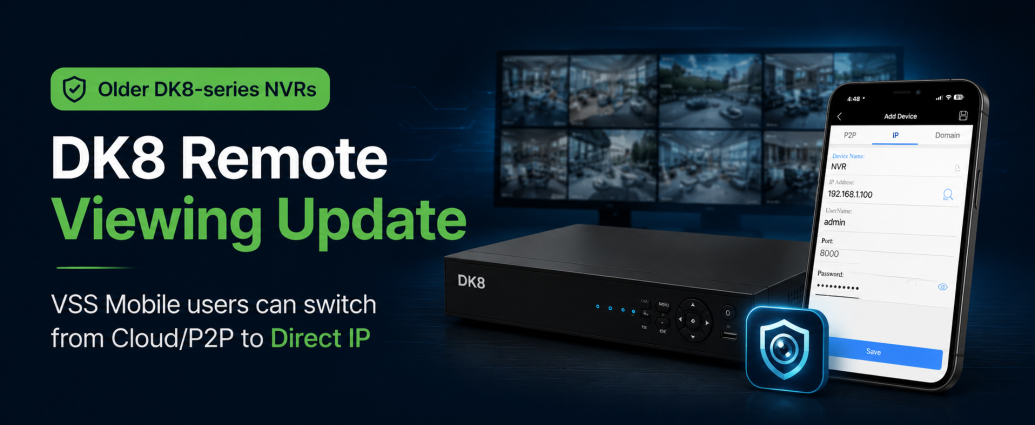
May 23, 2026 Original Post
May 27, 2026 UPDATE: Cloud P2P connection method is now available again.
Remote Viewing Update for Older DK8-Series NVRs Using VSS Mobile
If you have an older DK8-series NVR and use the VSS Mobile phone app for remote viewing, you may have recently noticed that the cloud/P2P connection method is no longer working.
This affects the cloud/P2P remote connection method only. Your NVR, local recording, and on-site viewing should continue to operate normally.
The good news is that these systems can still be accessed remotely using the Direct IP connection method in the same VSS Mobile app.
What Changed?
Older DK8-series NVRs used a cloud/P2P connection method to make remote phone app viewing easier. That cloud/P2P method is no longer available for this older recorder platform.
Because of this, users who previously connected through P2P may need to re-add the NVR in the VSS Mobile app using the IP connection option instead.
Available Solution: Use Direct IP Remote Viewing
The available solution is to reconnect the NVR in VSS Mobile using the Direct IP method.
This requires the NVR and router to be configured correctly so the app can reach the recorder from outside the local network.
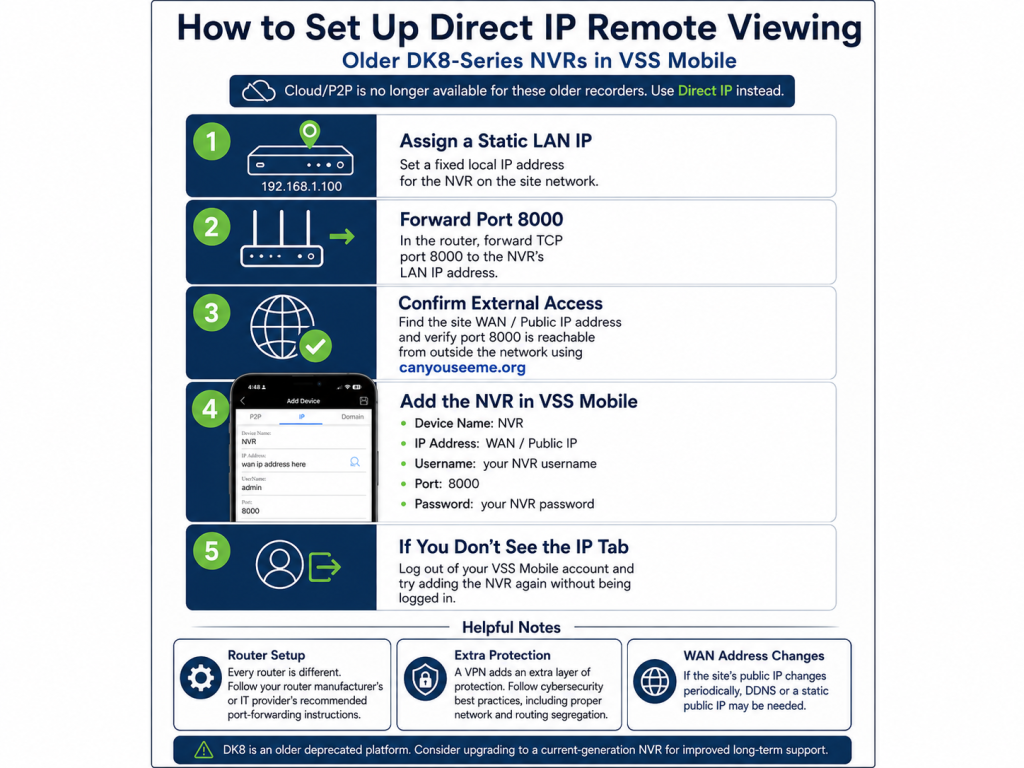
Required Network Setup
To use Direct IP remote viewing, the following setup is required:
- Assign the NVR a static LAN IP address on the local network.
- Configure the router to forward port 8000 to the NVR’s LAN IP address.
- Confirm port 8000 is reachable from outside the network using a port-checking tool such as:
https://canyouseeme.org - Re-add the NVR in the VSS Mobile app under the IP tab.
Use the following information when adding the device:
Device Name: NVR
IP Address: Site WAN/public IP address
Username: Your NVR username
Port: 8000
Password: Your NVR password
Screenshot of VSS Mobile’s Add Device page is shown below.
If You Do Not See the IP Tab in VSS Mobile
If you go to Add Device in the VSS Mobile app and do not see the IP tab, log out of your account inside the app and try adding the NVR again without being logged into the app.
In some cases, the IP/direct connection option may only appear when adding the device outside of the logged-in cloud account view.
Watch the Setup Video
We also have a YouTube how-to video showing how to set up both cloud/P2P and Direct IP phone app viewing in VSS Mobile.
For this current situation, please focus on the Direct IP setup portion of the video.
Router Setup Notes
Every router is different. The exact port forwarding steps depend on the router brand, model, firmware, and internet provider setup.
Please confirm the correct port forwarding procedure with your router manufacturer, router support website, or IT provider. The router should be configured according to the manufacturer’s recommended setup instructions.
If the site’s WAN/public IP address changes periodically, DDNS or a static public IP address may be needed.
Cybersecurity Best Practices
Using a VPN adds an extra layer of protection, especially when opening a port on the router.
We recommend following cybersecurity best practices, including:
- Using VPN access where possible
- Using strong, non-default passwords
- Keeping network devices secured and updated
- Properly segregating security devices from general business or home network traffic
- Using appropriate routing, firewall, and network segmentation practices where supported
For commercial sites, we recommend having the network configuration reviewed by the site’s IT provider or network administrator.
Important Note About DK8-Series NVRs
The DK8 NVR model line was deprecated many years ago and is an older-generation recorder platform.
While Direct IP access may allow continued remote viewing, we recommend upgrading to a current-generation recorder for improved long-term support, compatibility, and remote access options.
Current NVR recorders can be viewed here:
https://www.cctv.supplies/product-category/recorders/nvr-recorders/
Summary
If your older DK8-series NVR recently stopped connecting through VSS Mobile cloud/P2P, the recorder may still be usable for remote viewing through the Direct IP method.
The key steps are:
- Set a static LAN IP address for the NVR
- Forward port 8000 on the router to the NVR
- Confirm the port is open from outside the network
- Re-add the NVR in VSS Mobile using the IP tab
- Use VPN and proper network security practices where possible
- Consider upgrading from the deprecated DK8 platform to a current-generation NVR


